
Motorized Blinds Remote Control: Your 2026 Guide
You're probably here because one of two things keeps happening. The sun hits your TV at the worst time, or you've got windows that are awkward enough that opening and closing the blinds feels like a small daily chore.
That's where a motorized blinds remote control starts to make sense. Not as a flashy extra, but as a simple way to make light, privacy, and comfort easier to manage in real homes across Ontario, especially in older houses, custom renovations, and rooms with tall or wide windows.
A lot of people think the blind is the main product and the remote is just an accessory. In real projects, it's often the other way around. The control choice affects how the system feels to use every day, whether multiple blinds can work together, and whether you can expand the setup later without starting over.
Table of Contents
- Why a Remote Makes Your Motorized Blinds Even Better
- Understanding Remote Control Basics
- Choosing Your Remote Type Single vs Multi-Channel
- Advanced Remote Features You Will Actually Use
- Smart Home Integration and App Control
- Troubleshooting Common Remote Control Issues
- When to Call a Pro for Custom Solutions and Installation
Why a Remote Makes Your Motorized Blinds Even Better
A remote earns its keep in the little moments. Dinner is on the table, the west sun is pouring in, and nobody wants to get up and adjust three separate shades by hand.
The same thing happens in bedrooms, offices, and family rooms. One button press fixes glare, adds privacy, or softens the room without interrupting what you're doing.
Daily use feels easier, not just newer
For many homeowners, the biggest change isn't speed. It's consistency. You stop putting off blind adjustments because the control is right there on the coffee table, mounted on the wall, or kept beside the bed.
That matters even more when the windows are hard to reach. Think above a staircase, behind a sofa, over a kitchen sink, or across a patio door where the shade gets used several times a day.
A good remote turns blinds from something you remember occasionally into something you actually use properly.
It helps the room work the way you want
In Ontario homes, room layouts vary a lot. Some have classic front windows in older brick homes. Others have big rear patio openings, two-storey great rooms, or renovation additions with wide glass spans.
In each case, the remote changes the experience. A single control can help one room feel calmer and more organised, especially when more than one blind needs to move together.
If you're comparing systems, it helps to look at the broader options for motorization for blinds before choosing the control style. The motor, power source, and remote all need to fit the room, not just the window.
The remote solves practical annoyances
A remote is often most useful for problems that sound small until you deal with them every day:
- Morning light in bedrooms: Open the shade without leaving bed.
- Afternoon glare in living rooms: Lower the blinds as the sun shifts.
- Privacy at street-facing windows: Close a whole set of blinds quickly.
- Tall or wide windows: Avoid tugging at manual controls or using a step stool.
That's why homeowners and contractors alike should treat the remote as part of the system design, not an afterthought.
Understanding Remote Control Basics
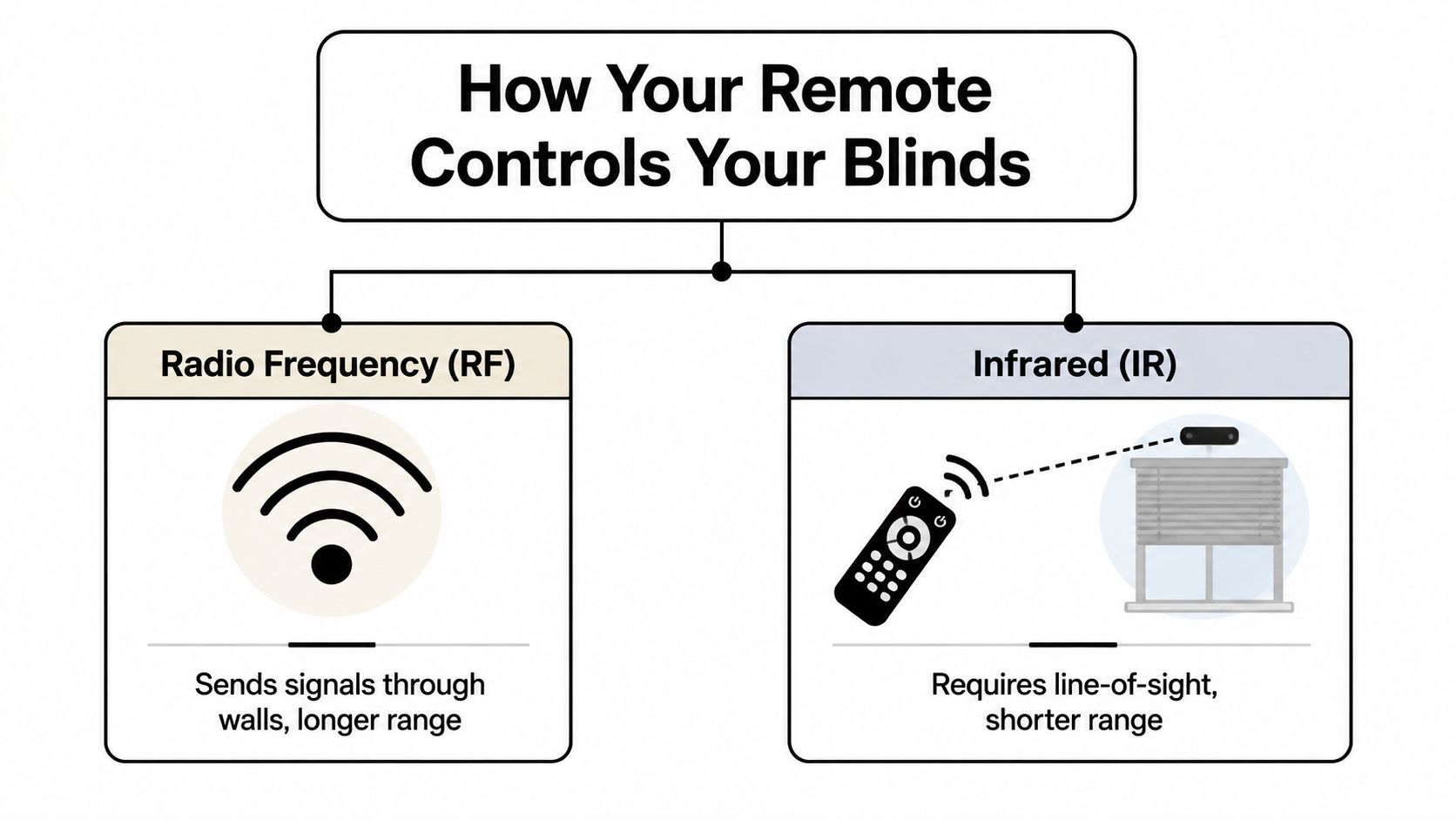
A remote for motorized blinds does one simple job. It sends a command from your hand to the motor so the shade moves up, down, or to a saved position.
The part that confuses homeowners is usually the signal type. In plain terms, blind remotes usually work in one of two ways. They use infrared (IR) or radio frequency (RF).
Infrared means point and aim
IR works much like an older TV remote. It sends a light-based signal, so the remote usually needs a clear path to the receiver.
That sounds simple enough until you apply it to a real window. If the blind motor is tucked behind a valance, mounted high over a stair landing, or partly hidden by deep trim, the remote can become fussy. You may need to stand in the right spot and aim carefully.
In a basic setup, IR can still do the job. In busy family rooms and larger Ontario homes, it often feels less convenient than people expect.
Radio frequency gives you more freedom
RF works more like a garage door opener. The signal does not usually need direct line of sight, so you can control the blinds without pointing at one exact spot.
That matters in day-to-day use. You might be sitting on the sofa, walking in from the hallway, or closing shades across a wide patio door while your hands are full. RF is usually more forgiving.
For many homeowners in Ontario, that is the difference between a system that feels easy to use and one that gets ignored.
Simple rule: If the windows are large, high, grouped together, or partly blocked by room features, RF is usually the better fit.
What this means in an Ontario home or job site
Older homes in Ontario often have deeper window casings, added trim, and room layouts that were never planned for motorization. Newer builds may have wide glass, two-storey spaces, and several shades in one room. In both cases, the remote type affects how well the system works once the furniture is in place and the homeowner is living with it every day.
Here is the practical difference:
| Control style | How it works in practice | Best fit |
|---|---|---|
| IR | Usually needs direct aiming | One visible shade in a simple room |
| RF | Usually works from more positions in the room | Most modern installations, grouped shades, and hard-to-reach windows |
Contractors also need to look past the remote itself. A blind system may be battery-powered or hardwired. It may use a handheld remote, a wall control, or app control later on. Those choices affect retrofit work, wire planning, grouping options, and how easy it will be to expand the system in the future.
That is why an installer may ask about drywall stage, access to power, window height, and whether the client wants one room controlled together. The remote is not a standalone gadget. It is one piece of the full control setup, and choosing the right one early can prevent a lot of frustration later.
Choosing Your Remote Type Single vs Multi-Channel
You install motorized blinds in a front room with three windows. On the first sunny morning, the homeowner learns a hard lesson. One button lowers every shade at once, even though only one side of the room has glare. By evening, they want all three closed for privacy. The blinds work fine. The remote setup is the part that feels wrong.
That is why remote choice matters so much. The question is not just how many blinds you have. The better question is how you want those blinds to behave in real life, in your room, with your daily routine.
When a single-channel remote makes sense
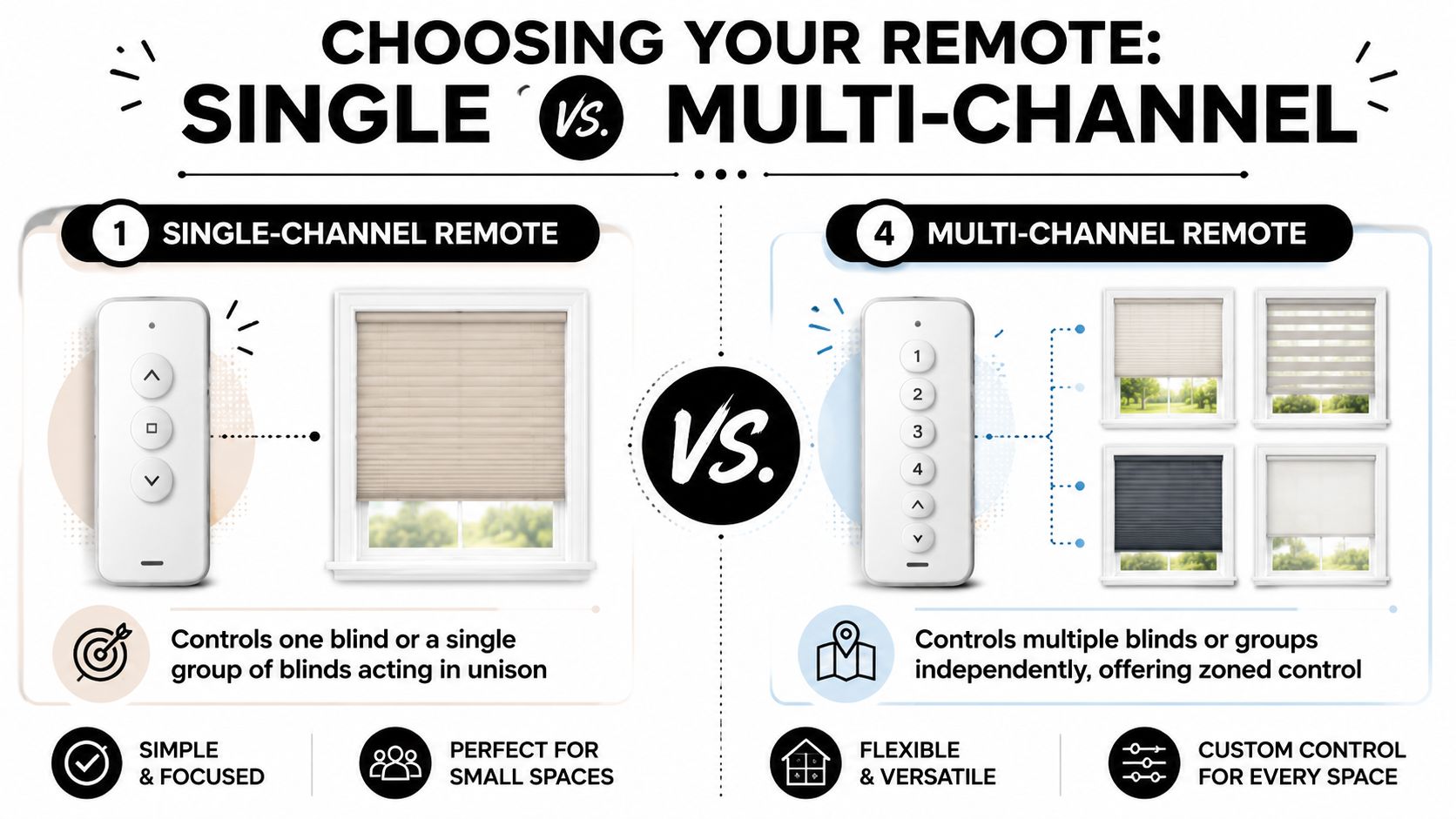
A single-channel remote is the simplest setup. It controls one blind, or one group that always goes up and down together.
For many Ontario homes, that is enough. A condo bedroom with one opening. A patio slider at the back of the house. A guest room where nobody wants a lesson before using the blinds.
Single-channel works well when the room has one job and one routine. Press open in the morning. Press close at night. Done.
It also keeps things straightforward for rentals, cottages, and secondary spaces where simple control matters more than customization.
Where multi-channel becomes the smarter choice
A multi-channel remote gives each blind, or each group of blinds, its own lane. It works like having separate light switches in one room instead of putting every fixture on a single switch.
That extra control matters more often than homeowners expect.
A front living room is a good example. The left window may get strong morning sun. The middle window may be fine most of the day. The right window may face a neighbour and need privacy earlier in the evening. With a multi-channel remote, you can treat each window differently and still program a group command for all of them together.
Contractors usually see this issue first in bay windows, wide patio doors with side panels, and open-concept main floors. Homeowners usually notice it after move-in, once furniture is in place and the sun starts hitting one zone harder than another.
A practical way to choose
Ask these questions before picking a remote:
- How many window coverings are in the room? One blind often suits single-channel. Two or more usually deserve a closer look.
- Do the windows face the same direction? Mixed sun exposure often makes multi-channel the better fit.
- Will every shade always move together? If the honest answer is no, choose more control now.
- Could the system grow later? Additions in a dining area, home office, or upper landing can make early remote decisions matter.
- Who will use it every day? A homeowner may like flexible channel control. A tenant or guest may prefer fewer choices and a wall-mounted option.
A good rule from real installations is simple. If the room has multiple windows and even one reason to control them differently, multi-channel usually saves frustration.
Ontario homes often need more channels than expected
This comes up often in local projects because Ontario housing stock is mixed. Older homes can have deep front rooms, bay windows, and uneven window spacing. Newer homes often have large rear glazing, tall stairwell windows, and open-concept layouts where one remote may need to cover several zones without making control confusing.
In those homes, a remote is a lot like a house key ring. One key is easy if you only have one door. Once you have a front door, side door, garage entry, and back gate, keeping everything on one key stops being practical. More channels give each opening its own place, while still letting you group them when it makes sense.
For contractors, this is also a planning issue. If the homeowner may add more shades later, the remote platform should match that plan from the start. For homeowners, the benefit is simpler daily use and fewer regrets after installation.
Some jobs also call for professional customization from day one. Large window walls, mixed shade types in one room, or a renovation with future expansion plans often need channel programming that matches how the household will actually use the space. That is especially true in custom homes and major retrofits, where changing the control logic later can cost more time than choosing properly at the beginning.
Advanced Remote Features You Will Actually Use
A lot of feature lists sound impressive on paper and end up ignored. The good ones earn a place in your routine within the first week.
Favourite position saves the most button pressing
This is one of the handiest features and one of the least talked about. A favourite position lets you store the exact height you use most often.
Maybe that's halfway down in the kitchen so you keep privacy but still get daylight. Maybe it's just above eye level in the front room so you block the street view without darkening the space.
Instead of tapping up, then down, then up again to get it right, you press one button.
Scene control works well in family rooms and open spaces
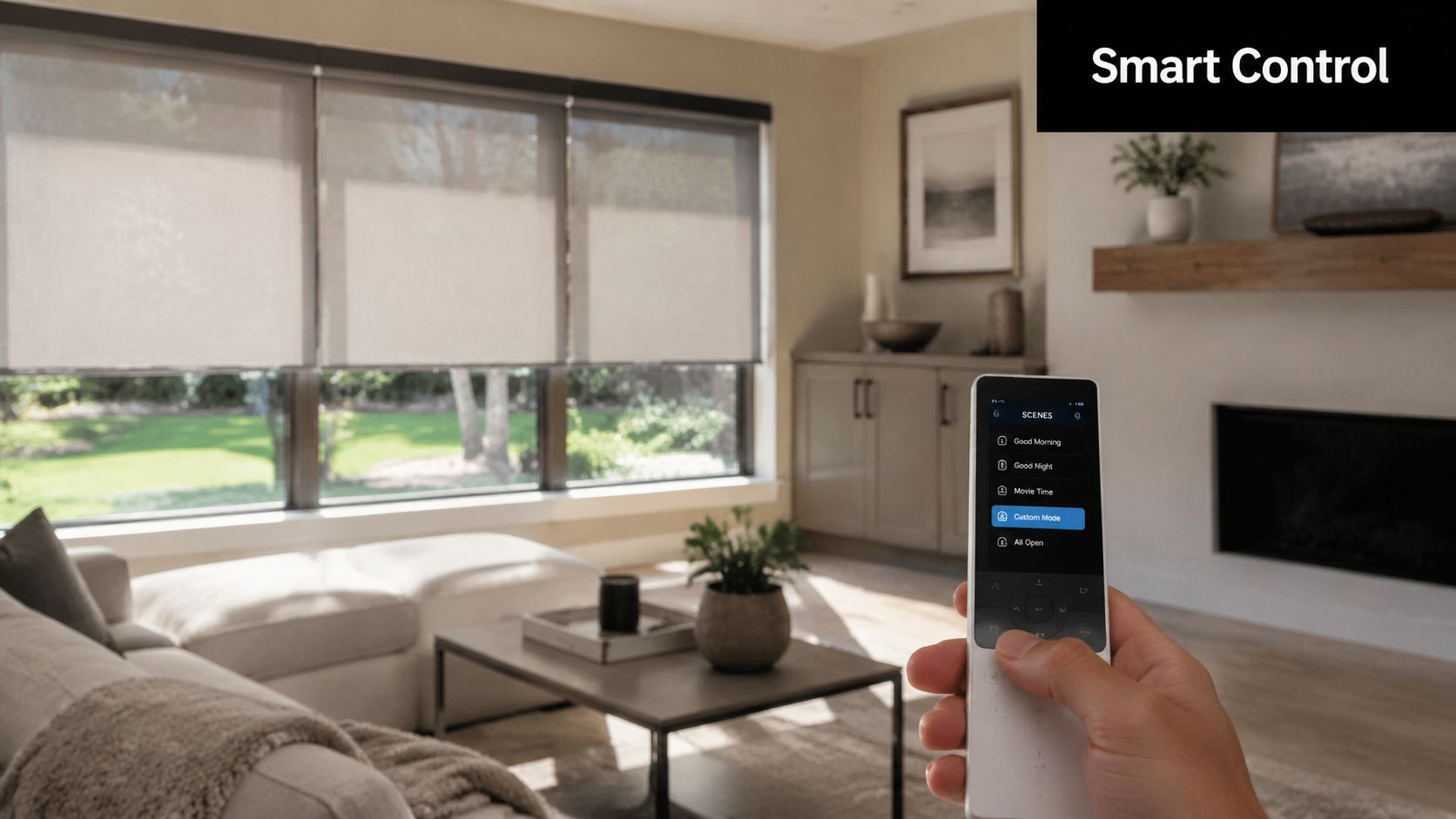
A scene is just a preset for multiple shades. It groups several actions into one command.
Examples that get used:
- Movie night: Close the living room shades together.
- Morning open: Raise the kitchen and breakfast area shades while leaving the street-facing front room lower.
- Evening privacy: Lower the main floor shades with one press before sunset.
This is especially helpful in open-concept homes where one remote may manage several windows across connected spaces.
The best features aren't the ones with the fanciest names. They're the ones that cut out repeated little tasks.
Timers and schedules help busy households
Some systems let you pair remote use with timed routines. That means the remote still handles manual control, but you can also let the blinds move on their own at set times.
A bedroom routine is a good example. The shade opens in the morning, then later in the day you use the remote if the light changes or you want privacy sooner.
Here's a quick look at how that feels in daily life:
Small automation feels bigger than it sounds
Most homeowners don't need a fully automated house to appreciate motorized control. They just want less fiddling and better comfort.
That's why these features work best when they stay simple:
- One favourite position for the most-used view and light level
- One or two scenes for repeat routines
- A short list of channels that people in the home can remember easily
If you overload the remote with too many modes, it stops feeling helpful. A good setup should feel obvious after a few days, not like a gadget you have to study.
Smart Home Integration and App Control
A remote is still the fastest way to move a blind when you're in the room. App control adds flexibility when you're elsewhere in the house, away from home, or trying to automate a routine.
That's why remote and app control shouldn't be treated as competing choices. In a well-planned setup, they work together.
The remote handles local control
For everyday use, people still reach for a button. It's simple, quick, and doesn't depend on opening an app first.
That matters in homes with kids, guests, or family members who don't want to learn a whole smart-home system just to lower a shade.
The app adds scheduling and remote access
App control becomes useful when the house needs to respond on its own or when you're not standing beside the window. You can group shades, set routines, and adjust them without carrying the physical remote around.
If you're comparing systems for Canadian homes, it helps to look at how smart blinds in Canada combine local remote use with app-based control. In practice, many homeowners want both.
Automation can support energy management
App control offers benefits that extend beyond mere convenience. Verified product guidance says motorized blinds can reduce home heating and cooling costs by up to 15% when they're used as part of an automated system to limit solar gain on hot days and maximise it during colder periods (motorized shades and potential HVAC savings).
For Ontario homeowners, that doesn't mean every room needs a complex schedule. It means certain windows benefit from repeatable timing, especially those with strong morning or afternoon sun.
A remote solves the “right now” problem. Automation solves the “every day at the same time” problem.
Good smart use stays practical
The best smart setups usually keep things modest. One app, a few grouped rooms, and routines that match the way the house gets used.
Common examples include:
- South- or west-facing rooms: Lower shades during peak sun.
- Bedrooms: Open on a morning routine.
- Main-floor front windows: Close in the evening for privacy.
- When away from home: Adjust blinds without being physically present.
If you're a contractor, this matters during planning. If the client may want app control later, the motor platform and control architecture should support that from the start. It's much easier to plan for expansion than to replace mismatched parts later.
Troubleshooting Common Remote Control Issues
Even a solid motorized setup can have the occasional hiccup. The good news is that many problems are simple and don't mean anything major has failed.
The blind isn't responding at all
Start with the basics first. Check the remote battery, make sure the correct channel is selected, and confirm the blind still has power if it's battery-powered or plugged in.
If those all look fine, the remote and blind may need to be paired again. That's a common fix after a battery change or accidental button press during setup.
One blind in a group stopped moving
This usually points to a channel or programming issue, not necessarily a bad motor. The blind may have been removed from the group, assigned to the wrong channel, or lost sync with the others.
Try operating that blind individually first if your remote allows it. If it works on its own but not with the group, the grouping setup likely needs attention.
If one shade misbehaves and the others work fine, think programming before you think hardware.
The remote only works from close range
That can happen for a few reasons. A weak battery is the first thing to rule out.
If the battery is fine, look at where you're standing and whether anything substantial changed in the room. Large furniture moves, metal obstructions, or a different mounting position can affect how comfortably the signal reaches the motor.
The wrong blind is moving
This usually means the channels weren't labelled well, or the initial programming got confusing. It happens more often in rooms with several similar windows.
A quick fix is to label the remote clearly and verify each assigned channel one by one. If the setup is larger, ask the installer for a written channel map so everyone knows what each button controls.
A simple homeowner checklist
- Check power first: Remote battery, blind battery, or wall power.
- Confirm the channel: Many calls come down to the wrong channel being selected.
- Test one shade at a time: This helps you tell the difference between a motor issue and a grouping issue.
- Keep the manual handy: Pairing steps vary by brand and model.
If the problem repeats after these checks, it's time to bring in your installer rather than keep guessing.
When to Call a Pro for Custom Solutions and Installation
You buy a remote expecting one-button convenience. Then the room has a tall foyer window, a patio door beside it, and an angled transom above. On paper, it still sounds simple. In real Ontario homes, that is usually the point where planning matters more than the remote itself.
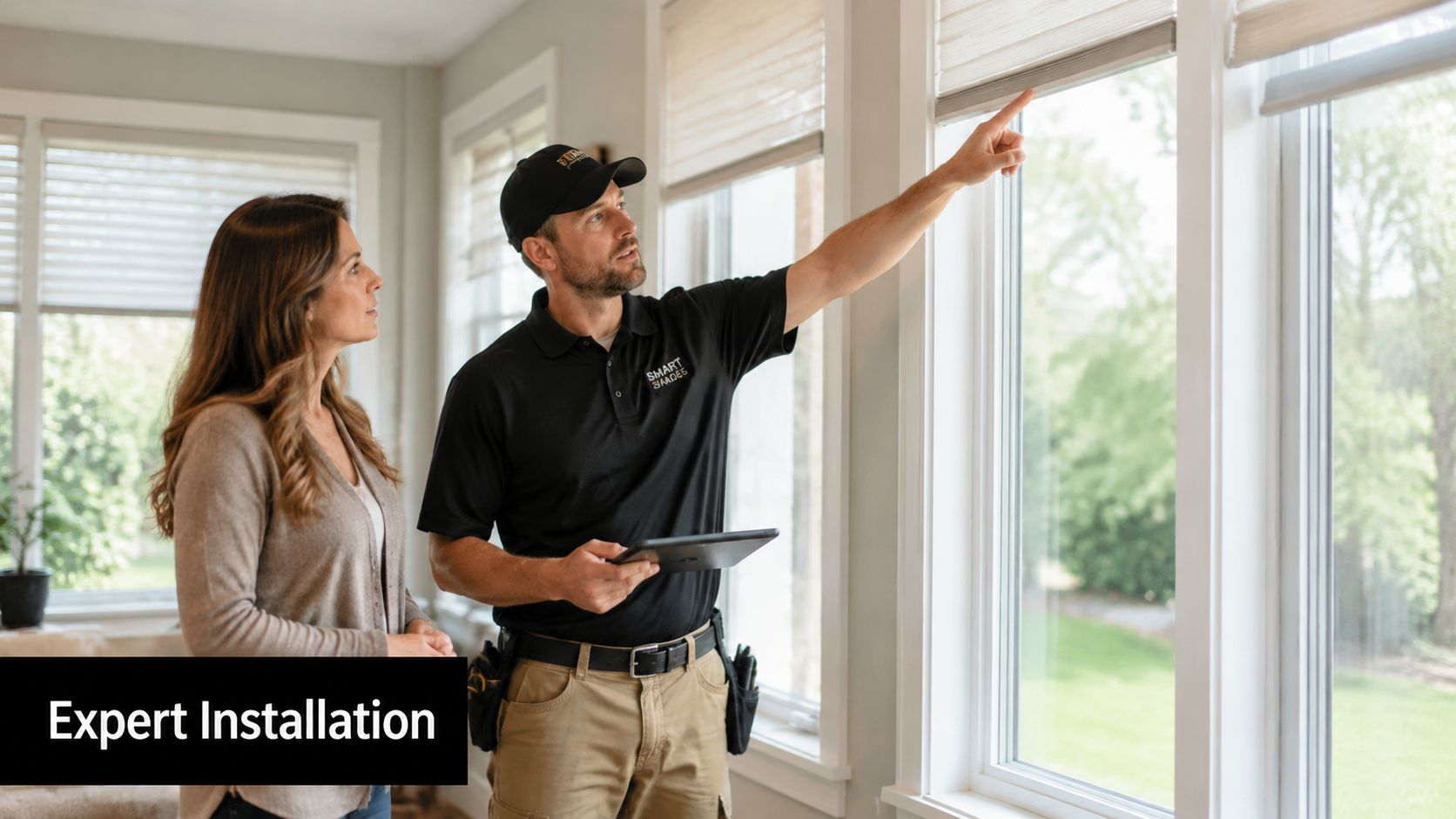
Odd-shaped windows need measured planning
Arches, angled tops, corner windows, and extra-tall openings are hard to judge by eye. A remote can only control the system you set up underneath it. If the shades are the wrong size, the brackets sit in the wrong place, or the channels are programmed without a clear plan, daily use gets frustrating fast.
Verified guidance notes that for large or angled architectural windows, professionals can program remotes with separate channels so different sections of one treatment raise independently, which is especially useful for unusual openings (remote channel programming for angled and specialty windows).
That matters in Ontario homes with dormers, split-level layouts, renovation additions, and custom window shapes that do not match standard stock sizes.
Large glass areas need more than a good-looking remote
Big window walls and grouped shades ask more from the system. The motor has to suit the width and weight. The control plan has to make sense for the people using the room. A family room with four shades across one wall might need one button for everyday use, plus separate channels for cleaning, glare control, or privacy at different times of day.
Specification material from a Lutron roller shade document shows that remote-controlled systems may be engineered as stand-alone or system options, in wired or wireless configurations, and that one standard single-fabric-panel specification supports sizes up to 12 ft. (3.66 m) (Lutron motorized roller shade specification document).
The practical takeaway is simple. Wide spans should be specified carefully, especially when multiple shades need to rise together and stop evenly.
Retrofits are often trickier than new builds
Finished homes hide a lot behind drywall and trim. Contractors and homeowners still have to decide where power comes from, where the remote should live, and whether the setup should stay simple today or leave room for added controls later.
That is one reason many homeowners look at motorized blinds in London, ON with smart and remote control options. A provider such as Blinds Hut can measure the opening, plan the control layout, and install a custom-fit system designed for the room. For contractors, that can prevent call-backs. For homeowners, it often means the blinds feel easy to use from the first week instead of needing constant reprogramming.
Complex windows reward careful planning. A clean install can still be annoying to live with if the control layout was never thought through.
Call a pro when the room has to work a certain way
Professional help makes sense when any of these apply:
- The windows are unusual: Angled tops, arches, corner windows, or very tall openings need accurate measuring and channel planning.
- Several shades need to act as one: Grouping sounds simple, but the programming has to match how the room is used day to day.
- The project is part of a renovation or new build: Hardwiring, bracket placement, and remote location should be decided before finishes are complete.
- The homeowner wants simple operation for everyone in the house: Clear programming matters in homes with kids, guests, or older family members.
- The contractor wants fewer post-install adjustments: Getting the specification right early saves return visits later.
A good installer is doing more than mounting hardware. They are setting up a control system that fits the window, the room, and the people using it.